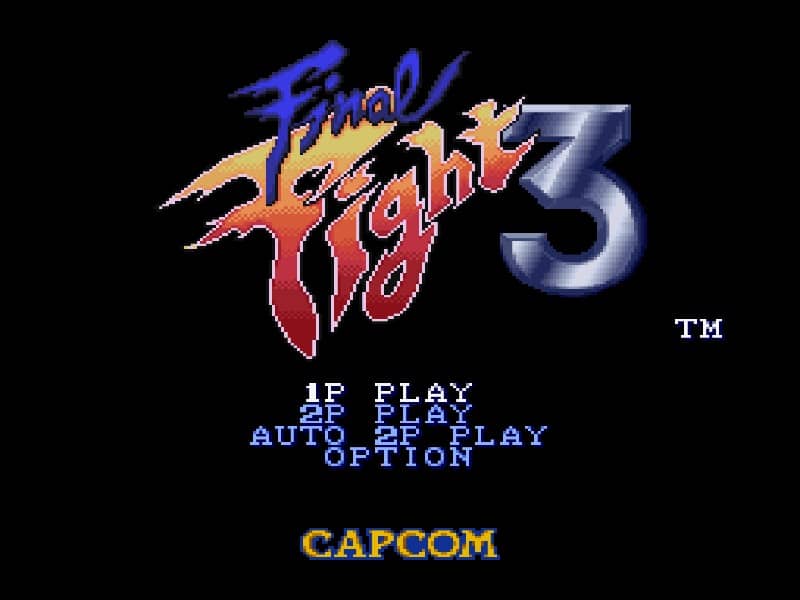
Final Fight 3

Overview

Final Fight 3 is a side-scrolling beat 'em up video game developed and published by Capcom for the Super Famicom. It is the third main installment in the Final Fight series, introducing new playable characters, special moves, and branching paths.

Released in 1995 for Super Famicom and developed by Capcom, Final Fight 3 is built around its original console experience. It is part of the Beat ’em up genres.

You can launch Final Fight 3 directly in your browser without downloading a separate game client. Read the guide below before playing, then adjust the keyboard or controller settings for your device.
Playable in browserNo download requiredSuper Famicom

Languages:English

Final Fight 3

Final Fight 3 is a side-scrolling beat 'em up video game developed and published by Capcom for the Super Famicom. It is the third main installment in the Final Fight series, introducing new playable characters, special moves, and branching paths.

Play Now

Opens the game player in a new browser tab.

Plays
86
Views
315

Related Games

How to Play

Final Fight 3 is a classic side-scrolling beat 'em up where you fight through urban streets and enemy hideouts. Your objective is to defeat waves of thugs and bosses to rescue the city from the Mad Gear gang's resurgence.

You move your character left and right, punching, kicking, and using special attacks to clear each stage. Each character has a unique set of moves, including grappling throws, dash attacks, and super moves that can be executed when your super meter is full.

The super meter builds as you attack enemies or take damage. You can also find weapons like pipes and knives to use temporarily.

In the early stages, focus on learning your character's basic combos and when to use your super move for crowd control. As you progress, enemy patterns become more aggressive, so mastering dodging and using environmental objects becomes crucial.

During tense moments, especially boss fights, keep moving to avoid being surrounded and use your most powerful attacks when the boss is vulnerable.

Browser controls and troubleshooting

If the keyboard does not respond, click the game screen first and check the actual key mappings in the player controls. Arrow keys scrolling the page can mean the game does not have input focus.

On a phone, check whether the player provides touch buttons. Try landscape or fullscreen if the controls are too small. After connecting a gamepad, press a button with the game focused and check whether the player recognizes it.

For a black screen or a stalled load, wait briefly before using Reload player or Browse games in the embedded player or play page. Reloading restarts the player and may lose unsaved progress. If no save option is available, do not rely on refreshing to preserve progress.

Related guide

Compare the two libraries, their controller layouts, and the kinds of sessions they suit.

Read: NES vs SNES Games

Playing ROMs in a browser

Review controls, save methods, browser storage and platform limitations before starting a long session.

Read the browser ROM guide

FAQ

Can I play Final Fight 3 online?

Yes. You can play Final Fight 3 directly in your browser. Open the game page and click play to start without setting up an emulator first.

Do I need to download anything to play Final Fight 3?

No. Final Fight 3 is available as a no-download browser game, so you can start playing without installing extra software or downloading files.

What platform or genre is Final Fight 3?

Final Fight 3 is a Super Famicom game in the Beat ’em up category. You can use the platform, genre, and related games sections to find similar titles.

What devices can run Final Fight 3?

Mobile compatibility and touch controls depend on the game and player. Check the controls shown after Final Fight 3 starts.

Who developed Final Fight 3?

Final Fight 3 is listed with developer information for Capcom. You can also browse related games from the same developer or genre.