Retro
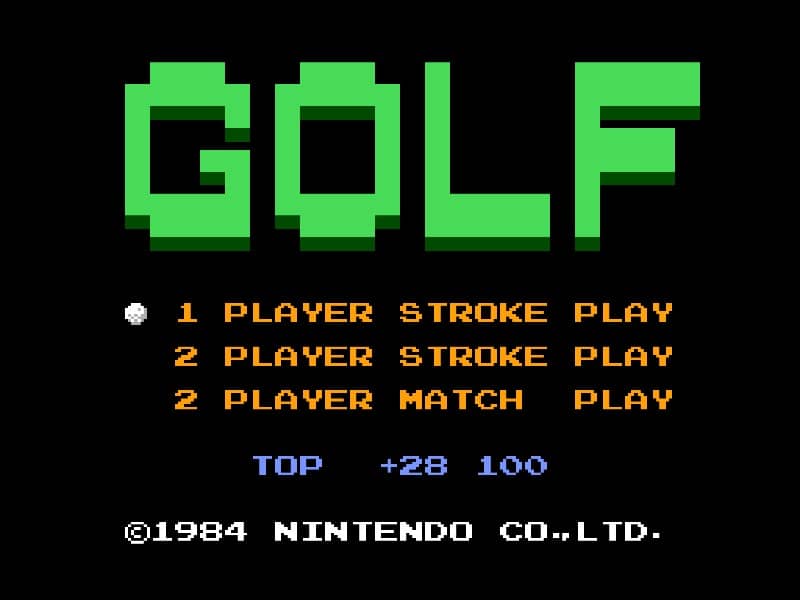
Golf

Overview

A golf simulation video game for the Famicom where players compete in 18-hole golf matches with realistic physics and multiple club selections.

Released in 1984 for Famicom and developed by Nintendo, Golf is built around its original console experience. It is part of the Sports genres.

You can launch Golf directly in your browser without downloading a separate game client. Read the guide below before playing, then adjust the keyboard or controller settings for your device.

Playable in browserNo download requiredFamicom

Languages:English

Golf

A golf simulation video game for the Famicom where players compete in 18-hole golf matches with realistic physics and multiple club selections.

Play Now

Opens the game player in a new browser tab.

Plays
5
Views
119

How to Play

In Golf for Famicom, your objective is to complete each hole in as few strokes as possible. The game begins by selecting your club and adjusting your shot power and direction.

Use the D-pad to aim your shot, considering wind direction and obstacles like sand traps and water hazards. Press the A button to start your power meter, then press it again to set the power level.

A third press determines the accuracy of your shot - timing is crucial for straight drives. On the green, switch to your putter and carefully read the slope of the terrain to sink your putt.

Beginners should focus on mastering the three-button swing mechanic first before attempting risky shots. Pay attention to the wind indicator and avoid hazards by using conservative club selections.

As you progress, learn to use different clubs effectively - woods for distance, irons for precision, and the wedge for getting out of tricky situations. The game's challenge comes from reading the course layout and adapting your strategy hole by hole.

Related guide

Compare the two libraries, their controller layouts, and the kinds of sessions they suit.

Read: NES vs SNES Games

Related Games

FAQ

Can I play Golf online?

Yes. You can play Golf directly in your browser. Open the game page and click play to start without setting up an emulator first.

Do I need to download anything to play Golf?

No. Golf is available as a no-download browser game, so you can start playing without installing extra software or downloading files.

What platform or genre is Golf?

Golf is a Famicom game in the Sports category. You can use the platform, genre, and related games sections to find similar titles.

What devices can run Golf?

Golf usually works in modern browsers on desktop, tablet, and mobile devices. For the most stable gameplay experience, use Chrome or another mainstream browser.

Who developed Golf?

Golf is listed with developer information for Nintendo. You can also browse related games from the same developer or genre.