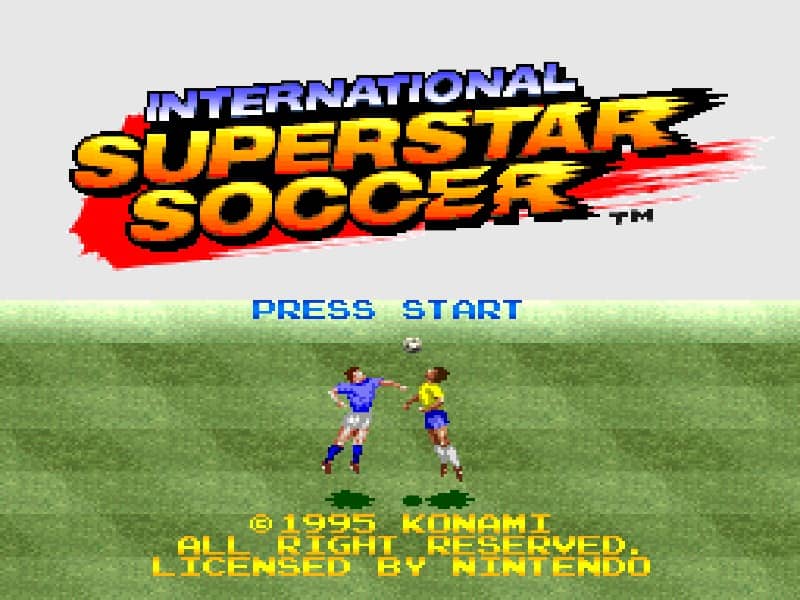
International Superstar Soccer

Overview

A soccer simulation game for the Super Famicom, known for its fast-paced gameplay and international team roster.

Released in 1995 for Super Famicom and developed by Konami, International Superstar Soccer is built around its original console experience. It is part of the Sports genres.

You can launch International Superstar Soccer directly in your browser without downloading a separate game client. Read the guide below before playing, then adjust the keyboard or controller settings for your device.


Playable in browserNo download requiredSuper Famicom

Languages:English

International Superstar Soccer

A soccer simulation game for the Super Famicom, known for its fast-paced gameplay and international team roster.

Play Now

Opens the game player in a new browser tab.

Plays
130
Views
408

Related Games

How to Play

Your objective is to score more goals than the opposing team within the match time limit. Moment-to-moment play involves passing the ball between players, dribbling past defenders, and taking shots on goal.

Use the D-pad to move your player and the action buttons to pass, shoot, or perform a sliding tackle. A useful beginner strategy is to focus on short, quick passes to maintain possession and create openings.

In the early part of a match, focus on building up play from the back and learning the movement patterns of your teammates. As the game progresses into the middle phase, look for through balls to fast attackers and use skill moves to beat defenders one-on-one.

During tense moments, such as when defending a lead, prioritize clearing the ball to safety and using your goalkeeper effectively to make crucial saves. The challenge rhythm is continuous, requiring constant spatial awareness and quick decision-making under pressure.

Browser controls and troubleshooting

If the keyboard does not respond, click the game screen first and check the actual key mappings in the player controls. Arrow keys scrolling the page can mean the game does not have input focus.

On a phone, check whether the player provides touch buttons. Try landscape or fullscreen if the controls are too small. After connecting a gamepad, press a button with the game focused and check whether the player recognizes it.

For a black screen or a stalled load, wait briefly before using Reload player or Browse games in the embedded player or play page. Reloading restarts the player and may lose unsaved progress. If no save option is available, do not rely on refreshing to preserve progress.

Related guide

Compare the two libraries, their controller layouts, and the kinds of sessions they suit.

Read: NES vs SNES Games

Playing ROMs in a browser

Review controls, save methods, browser storage and platform limitations before starting a long session.

Read the browser ROM guide

FAQ

Can I play International Superstar Soccer online?

Yes. You can play International Superstar Soccer directly in your browser. Open the game page and click play to start without setting up an emulator first.

Do I need to download anything to play International Superstar Soccer?

No. International Superstar Soccer is available as a no-download browser game, so you can start playing without installing extra software or downloading files.

What platform or genre is International Superstar Soccer?

International Superstar Soccer is a Super Famicom game in the Sports category. You can use the platform, genre, and related games sections to find similar titles.

What devices can run International Superstar Soccer?

Mobile compatibility and touch controls depend on the game and player. Check the controls shown after International Superstar Soccer starts.

Who developed International Superstar Soccer?

International Superstar Soccer is listed with developer information for Konami. You can also browse related games from the same developer or genre.