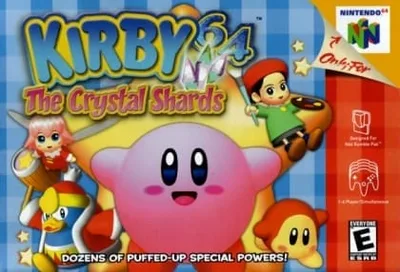
Kirby 64: The Crystal Shards

Overview

Kirby 64: The Crystal Shards is a 2.5D side-scrolling platformer where Kirby must travel across various planets to collect the shattered pieces of a powerful crystal and stop the evil Dark Matter.

Released in 2000 for Nintendo 64 and developed by HAL Laboratory, Kirby 64: The Crystal Shards is built around its original console experience. It is part of the Platformer genres.

You can launch Kirby 64: The Crystal Shards directly in your browser without downloading a separate game client. Read the guide below before playing, then adjust the keyboard or controller settings for your device.
Playable in browserNo download requiredNintendo 64

Languages:English

Kirby 64: The Crystal Shards

Kirby 64: The Crystal Shards is a 2.5D side-scrolling platformer where Kirby must travel across various planets to collect the shattered pieces of a powerful crystal and stop the evil Dark Matter.

Play Now

Opens the game player in a new browser tab.

Plays
26
Views
206

Related Games

How to Play

Your goal is to guide Kirby through a series of colorful, side-scrolling levels to collect Crystal Shards. You move Kirby with the control stick and can jump, float by inflating yourself, and inhale enemies.

The core mechanic is combining powers: after inhaling an enemy, you can spit it out as a star or swallow it to gain a copy ability like Fire or Cutter. The real depth comes from combining two copy abilities to create a powerful hybrid attack, such as mixing Fire and Cutter to create a flaming boomerang.

Focus on exploring each level thoroughly to find hidden Crystal Shards and secret passages. In tense moments, your float ability allows you to avoid pitfalls and enemy attacks, making careful positioning key.

A good beginner strategy is to master a few reliable power combinations early on to handle the game's diverse enemies and environmental puzzles.

Browser controls and troubleshooting

If the keyboard does not respond, click the game screen first and check the actual key mappings in the player controls. Arrow keys scrolling the page can mean the game does not have input focus.

On a phone, check whether the player provides touch buttons. Try landscape or fullscreen if the controls are too small. After connecting a gamepad, press a button with the game focused and check whether the player recognizes it.

For a black screen or a stalled load, wait briefly before using Reload player or Browse games in the embedded player or play page. Reloading restarts the player and may lose unsaved progress. If no save option is available, do not rely on refreshing to preserve progress.

Related guide

Learn why controller setup and analog input matter for many Nintendo 64 games.

Read: Retro Game Controller Guide

Playing ROMs in a browser

Review controls, save methods, browser storage and platform limitations before starting a long session.

Read the browser ROM guide

FAQ

Can I play Kirby 64: The Crystal Shards online?

Yes. You can play Kirby 64: The Crystal Shards directly in your browser. Open the game page and click play to start without setting up an emulator first.

Do I need to download anything to play Kirby 64: The Crystal Shards?

No. Kirby 64: The Crystal Shards is available as a no-download browser game, so you can start playing without installing extra software or downloading files.

What platform or genre is Kirby 64: The Crystal Shards?

Kirby 64: The Crystal Shards is a Nintendo 64 game in the Platformer category. You can use the platform, genre, and related games sections to find similar titles.

What devices can run Kirby 64: The Crystal Shards?

Mobile compatibility and touch controls depend on the game and player. Check the controls shown after Kirby 64: The Crystal Shards starts.

Who developed Kirby 64: The Crystal Shards?

Kirby 64: The Crystal Shards is listed with developer information for HAL Laboratory. You can also browse related games from the same developer or genre.