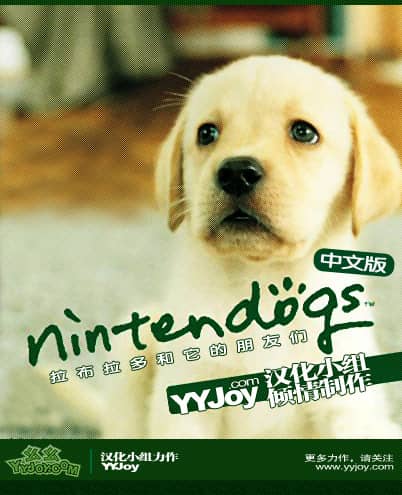
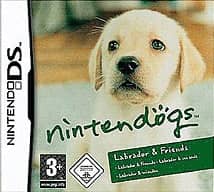


Nintendogs: Labrador & Friends — Chinese Translation
Playable in browserNo download requiredNintendo DS

Languages:简体中文

Play Nintendogs: Labrador & Friends Online

Nintendogs: Labrador & Friends is Nintendo’s 2005 pet simulation for Nintendo DS. Care for a puppy, teach voice commands and enter obedience or agility competitions.

Plays
305
Views
678

Play Nintendogs: Labrador & Friends — Chinese Translation in Your Browser

Play Nintendogs: Labrador & Friends online. Care for a puppy, teach tricks and learn which Nintendo DS touch and microphone features may vary in a browser.

Open game page
Play Nintendogs: Labrador & Friends — Chinese Translation in Your BrowserLoading game player…
Controls

Check the player controls for key mappings. Save and restore support depends on the game and player; reloading may lose unsaved progress.

When Play Now appears: 1. Select Play Now. 2. Select Start inside the game player.

Browse games

Related Games

Overview

The Labrador edition begins with a selection that includes the Labrador Retriever and other breeds. Daily play revolves around feeding, grooming, walking, training and using toys through the Nintendo DS Touch Screen and microphone.

This catalog entry is a Chinese translation of the Nintendo game, not a 2009 Ubisoft release. Its original developer and publisher are Nintendo, and the European Labrador & Friends version was released in 2005.

How to Play

Check how the browser player maps the Nintendo DS Touch Screen and microphone. Choose and name a puppy, then use the available care items to maintain its condition.

Repeat voice commands consistently when teaching tricks. Browser microphone support depends on the emulator, browser permissions and the loaded build, so do not assume every original feature will work.

Walk and train the dog before entering competitions. Use rewards and regular care to improve its responsiveness instead of attempting advanced commands immediately.

Game references

Browser controls and troubleshooting

If the keyboard does not respond, click the game screen first and check the actual key mappings in the player controls. Arrow keys scrolling the page can mean the game does not have input focus.

On a phone, check whether the player provides touch buttons. Try landscape or fullscreen if the controls are too small. After connecting a gamepad, press a button with the game focused and check whether the player recognizes it.

For a black screen or a stalled load, wait briefly before using Reload player or Browse games in the embedded player or play page. Reloading restarts the player and may lose unsaved progress. If no save option is available, do not rely on refreshing to preserve progress.

Playing ROMs in a browser

Review controls, save methods, browser storage and platform limitations before starting a long session.

Read the browser ROM guide

FAQ

Who developed Nintendogs: Labrador & Friends?

Nintendo developed and published the original Nintendo DS game.

Was Labrador & Friends released in 2009?

The original Labrador & Friends edition dates to 2005. This page corrects the upstream 2009 metadata.

Does the microphone work in the browser?

It depends on the emulator, browser permissions and loaded build. The original DS used its built-in microphone, but browser support is not guaranteed.