Tetris Tengen

Overview

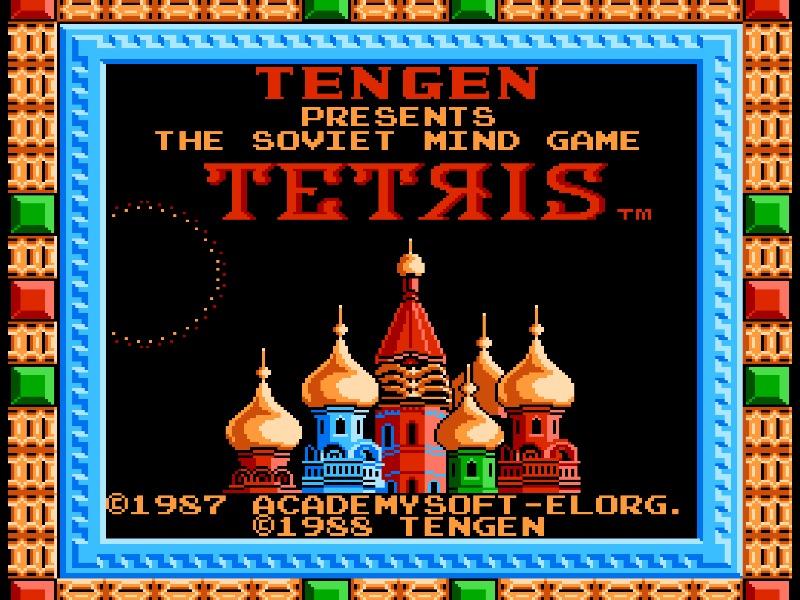
Tetris Tengen is a console adaptation of the legendary falling-block puzzle game, featuring distinct visuals, classic music arrangements, and competitive modes designed for home play.

Released in 1988 for Famicom and developed by TENGEN, Tetris Tengen is built around its original console experience. It is part of the Puzzle genres.

You can launch Tetris Tengen directly in your browser without downloading a separate game client. Read the guide below before playing, then adjust the keyboard or controller settings for your device.


Playable in browserNo download requiredFamicom

Languages:English

Tetris Tengen

Tetris Tengen is a console adaptation of the legendary falling-block puzzle game, featuring distinct visuals, classic music arrangements, and competitive modes designed for home play.

Play Now

Opens the game player in a new browser tab.

Plays
48
Views
114

Related Games

How to Play

The core objective of Tetris Tengen is to score points by clearing horizontal lines of blocks, known as tetrominoes, as they descend from the top of the playfield. Players use the directional controls to move falling pieces left or right, rotate them clockwise or counterclockwise to fit into gaps, and press down to accelerate their descent when a safe placement is found. Beginners should focus on maintaining a flat surface and leaving an open vertical column on one side to stack four-block pieces for maximum scoring Tetrises.

As the game progresses, the speed at which blocks fall increases, raising the tension and reducing the time available to plan placements. During the early stages, prioritize clean stack building and avoid high vertical towers. In the later, high-speed moments of a run, quick reflexes and split-second rotation decisions are essential to survive and avoid stacking your pieces all the way to the top of the screen.

Browser controls and troubleshooting

If the keyboard does not respond, click the game screen first and check the actual key mappings in the player controls. Arrow keys scrolling the page can mean the game does not have input focus.

On a phone, check whether the player provides touch buttons. Try landscape or fullscreen if the controls are too small. After connecting a gamepad, press a button with the game focused and check whether the player recognizes it.

For a black screen or a stalled load, wait briefly before using Reload player or Browse games in the embedded player or play page. Reloading restarts the player and may lose unsaved progress. If no save option is available, do not rely on refreshing to preserve progress.

Related guide

Compare the two libraries, their controller layouts, and the kinds of sessions they suit.

Read: NES vs SNES Games

Playing ROMs in a browser

Review controls, save methods, browser storage and platform limitations before starting a long session.

Read the browser ROM guide

FAQ

Can I play Tetris Tengen online?

Yes. You can play Tetris Tengen directly in your browser. Open the game page and click play to start without setting up an emulator first.

Do I need to download anything to play Tetris Tengen?

No. Tetris Tengen is available as a no-download browser game, so you can start playing without installing extra software or downloading files.

What platform or genre is Tetris Tengen?

Tetris Tengen is a Famicom game in the Puzzle category. You can use the platform, genre, and related games sections to find similar titles.

What devices can run Tetris Tengen?

Mobile compatibility and touch controls depend on the game and player. Check the controls shown after Tetris Tengen starts.

Who developed Tetris Tengen?

Tetris Tengen is listed with developer information for TENGEN. You can also browse related games from the same developer or genre.