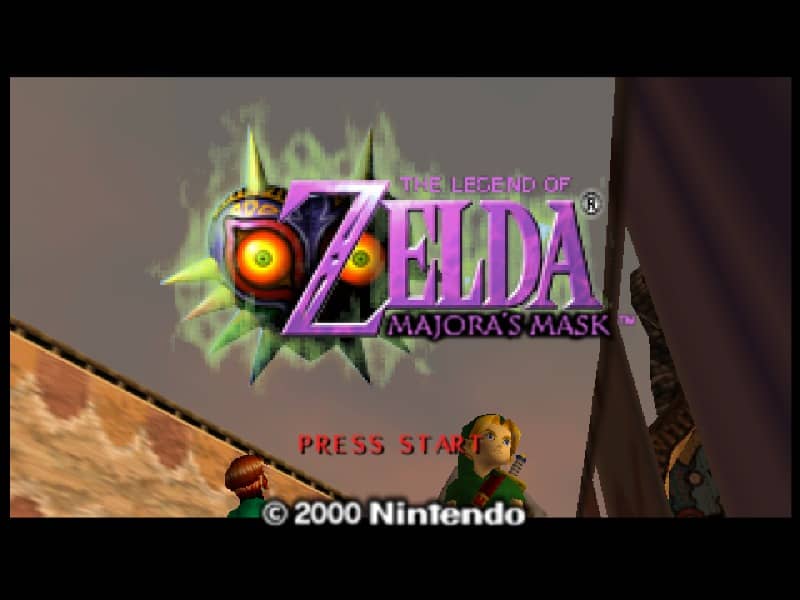
The Legend of Zelda: Majora's Mask

Overview

A dark and time-bending action-adventure game where Link must prevent the moon from crashing into the world of Termina within a repeating three-day cycle.

Released in 2000 for Nintendo 64 and developed by Nintendo EAD, The Legend of Zelda: Majora's Mask is built around its original console experience. It is part of the Action, Adventure genres.

You can launch The Legend of Zelda: Majora's Mask directly in your browser without downloading a separate game client. Read the guide below before playing, then adjust the keyboard or controller settings for your device.

Playable in browserNo download requiredNintendo 64

Languages:日本語 / English

The Legend of Zelda: Majora's Mask

A dark and time-bending action-adventure game where Link must prevent the moon from crashing into the world of Termina within a repeating three-day cycle.

Play Now

Opens the game player in a new browser tab.

Plays
57
Views
282

Related Games

How to Play

Your primary goal is to stop the moon from destroying Clock Town in just three days. You control Link from a third-person perspective, exploring dungeons, solving puzzles, and battling enemies.

Time is your greatest challenge; you can slow, reverse, or fast-forward it using the Ocarina of Time. Each cycle resets most progress, but key items, songs, and masks are kept.

In the early part of a cycle, focus on gathering information, learning songs, and acquiring the Bomber's Notebook to track side quests. The middle phase involves tackling one of the four main dungeons, using new transformation masks like the Deku, Goron, and Zora forms to access new areas and abilities.

During tense final hours, rush to defeat the dungeon boss or reset time to save your dungeon progress. Effective time management and mastering mask abilities are crucial to breaking the curse.

Browser controls and troubleshooting

If the keyboard does not respond, click the game screen first and check the actual key mappings in the player controls. Arrow keys scrolling the page can mean the game does not have input focus.

On a phone, check whether the player provides touch buttons. Try landscape or fullscreen if the controls are too small. After connecting a gamepad, press a button with the game focused and check whether the player recognizes it.

For a black screen or a stalled load, wait briefly before using Reload player or Browse games in the embedded player or play page. Reloading restarts the player and may lose unsaved progress. If no save option is available, do not rely on refreshing to preserve progress.

Related guide

Learn why controller setup and analog input matter for many Nintendo 64 games.

Read: Retro Game Controller Guide

Playing ROMs in a browser

Review controls, save methods, browser storage and platform limitations before starting a long session.

Read the browser ROM guide

FAQ

Can I play The Legend of Zelda: Majora's Mask online?

Yes. You can play The Legend of Zelda: Majora's Mask directly in your browser. Open the game page and click play to start without setting up an emulator first.

Do I need to download anything to play The Legend of Zelda: Majora's Mask?

No. The Legend of Zelda: Majora's Mask is available as a no-download browser game, so you can start playing without installing extra software or downloading files.

What platform or genre is The Legend of Zelda: Majora's Mask?

The Legend of Zelda: Majora's Mask is a Nintendo 64 game in the Action category. You can use the platform, genre, and related games sections to find similar titles.

What devices can run The Legend of Zelda: Majora's Mask?

Mobile compatibility and touch controls depend on the game and player. Check the controls shown after The Legend of Zelda: Majora's Mask starts.

Who developed The Legend of Zelda: Majora's Mask?

The Legend of Zelda: Majora's Mask is listed with developer information for Nintendo EAD. You can also browse related games from the same developer or genre.