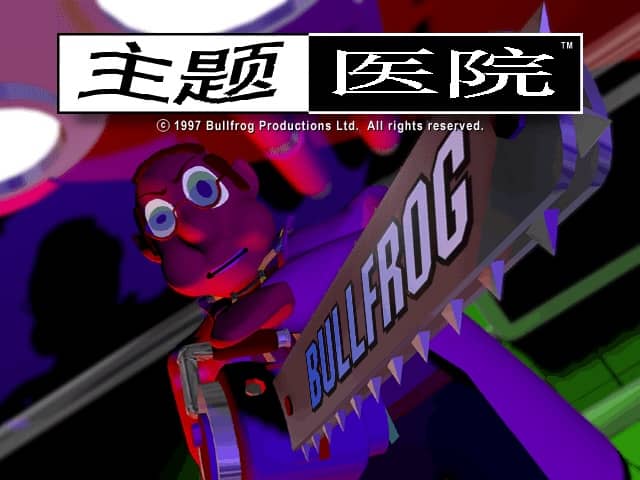
Theme Hospital
Playable in browserNo download requiredDOS

Languages:English

Play Theme Hospital Online

Theme Hospital is Bullfrog Productions’ 1997 hospital-management game. Build treatment rooms, hire staff and keep the hospital functioning while handling unusual fictional illnesses.

Plays
0
Views
0

Play Theme Hospital in Your Browser

Play Theme Hospital online in your browser. Build treatment rooms, hire staff, manage queues and run Bullfrog’s classic hospital simulation.

Open game page
Play Theme Hospital in Your BrowserLoading game player…
Controls

Check the player controls for key mappings. Save and restore support depends on the game and player; reloading may lose unsaved progress.

When Play Now appears: 1. Select Play Now. 2. Select Start inside the game player.

Browse games

Related Games

Overview

Each level asks you to turn an empty building into a working hospital. Patients need reception, diagnosis and treatment, while staff require sensible workloads and access to the rooms they need.

Money, space and patient flow are connected. Expanding too quickly can leave expensive rooms idle, but too few diagnosis or treatment facilities create queues and reduce the hospital’s effectiveness.

How to Play

Review the browser player’s mouse and keyboard controls. Start with reception, a GP’s office and the basic facilities required by the current level rather than filling the entire building immediately.

Hire enough doctors, nurses, receptionists and handymen to keep essential rooms open. Watch queues and move or duplicate bottleneck rooms when patients wait too long.

Balance treatment income against wages, construction and equipment costs. Read the level messages and objectives before spending heavily on optional rooms.

Game references

Browser controls and troubleshooting

If the keyboard does not respond, click the game screen first and check the actual key mappings in the player controls. Arrow keys scrolling the page can mean the game does not have input focus.

On a phone, check whether the player provides touch buttons. Try landscape or fullscreen if the controls are too small. After connecting a gamepad, press a button with the game focused and check whether the player recognizes it.

For a black screen or a stalled load, wait briefly before using Reload player or Browse games in the embedded player or play page. Reloading restarts the player and may lose unsaved progress. If no save option is available, do not rely on refreshing to preserve progress.

Playing ROMs in a browser

Review controls, save methods, browser storage and platform limitations before starting a long session.

Read the browser ROM guide

Explore related online games

FAQ

What is the goal of Theme Hospital?

Design and manage a hospital that diagnoses and cures patients while meeting the financial and operational goals of each level.

Why are patients waiting so long?

Look for queues at reception, GP offices and diagnosis rooms. Add staff or another high-demand room, and reduce unnecessary walking distance.

Who developed Theme Hospital?

Bullfrog Productions developed Theme Hospital, and Electronic Arts published it in 1997.