1943: The Battle of Midway — Chinese Translation
Playable in browserNo download requiredFamicom

Languages:简体中文

Play 1943: The Battle of Midway — Chinese Translation

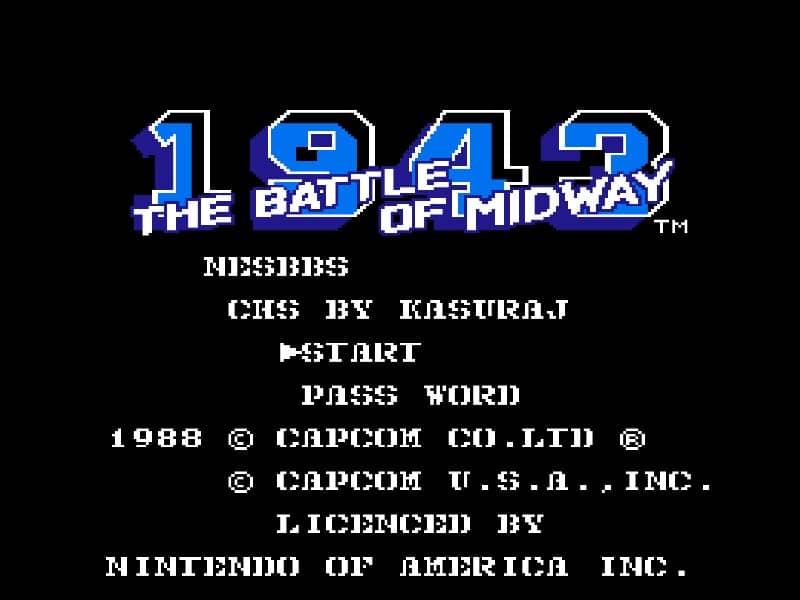
1943: The Battle of Midway is Capcom’s NES vertical shooter from 1988. This page uses a Chinese-translated ROM while retaining the identity of the original console game.

Plays
37
Views
208

Play 1943: The Battle of Midway — Chinese Translation in Your Browser

Play the Chinese translation of Capcom’s 1943 NES game online. Manage aircraft energy, collect upgrades and learn how it differs from the arcade version.

Open game page
Play 1943: The Battle of Midway — Chinese Translation in Your BrowserLoading game player…
Controls

Check the player controls for key mappings. Save and restore support depends on the game and player; reloading may lose unsaved progress.

When Play Now appears: 1. Select Play Now. 2. Select Start inside the game player.

Browse games

Related Games

Overview

The NES version combines air combat with an energy system and permanent aircraft improvements. Its stages and progression differ substantially from the arcade release, so an arcade walkthrough will not always match this version.

The translation does not make the game a separate 1988 Chinese release. Developer and year refer to Capcom’s NES version; the translation author and date are not established by the current catalog record.

How to Play

Confirm the NES fire and special-action buttons, then watch both incoming shots and the aircraft’s energy. Avoid unnecessary collisions even when trying to finish an enemy formation.

Collect useful items and choose upgrades that address the current weakness, such as attack power or survivability. Permanent improvements make long-term planning more important than in a simple score run.

Learn the approach to each large target and preserve energy before the encounter. Use an NES-specific guide if needed, because the arcade stage sequence and systems are not identical.

Game references

Browser controls and troubleshooting

If the keyboard does not respond, click the game screen first and check the actual key mappings in the player controls. Arrow keys scrolling the page can mean the game does not have input focus.

On a phone, check whether the player provides touch buttons. Try landscape or fullscreen if the controls are too small. After connecting a gamepad, press a button with the game focused and check whether the player recognizes it.

For a black screen or a stalled load, wait briefly before using Reload player or Browse games in the embedded player or play page. Reloading restarts the player and may lose unsaved progress. If no save option is available, do not rely on refreshing to preserve progress.

Related guide

Compare the two libraries, their controller layouts, and the kinds of sessions they suit.

Read: NES vs SNES Games

Playing ROMs in a browser

Review controls, save methods, browser storage and platform limitations before starting a long session.

Read the browser ROM guide

FAQ

How does the NES version differ from the arcade game?

The NES adaptation changes progression and adds permanent aircraft upgrades, making it more than a direct copy of the arcade release.

Is the Chinese translation an official Capcom release?

The current record does not establish an official Chinese retail edition. The page labels it as a translation of Capcom’s NES version.

When did the NES version release?

Capcom released the Japanese and North American NES/Famicom versions in 1988.