Retro
Castle of Magic

Overview

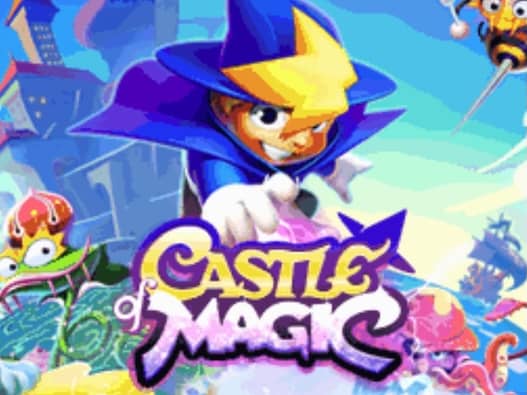
A colorful side-scrolling platformer where a young boy named Sherg enters a magical world to rescue his friend Jenny from the evil wizard Nephast.

Released in 2008 for Java and developed by GAMELOFT, Castle of Magic is built around its original console experience. It is part of the Action genres.

You can launch Castle of Magic directly in your browser without downloading a separate game client. Read the guide below before playing, then adjust the keyboard or controller settings for your device.

Playable in browserNo download requiredJava

Languages:English

Castle of Magic

A colorful side-scrolling platformer where a young boy named Sherg enters a magical world to rescue his friend Jenny from the evil wizard Nephast.

Play Now

Opens the game player in a new browser tab.

Plays
67
Views
187

How to Play

Guide the young wizard Sherg through diverse magical environments to rescue his friend Jenny. Navigate vibrant levels by running, jumping, and using magical projectile attacks to defeat enemies. Collect magic gems scattered throughout each stage to increase your score and unlock secrets, while utilizing unique transformation powers to turn into different forms like a fish, a bird, or a golem to bypass obstacles.

Master the timing of your jumps and ranged magic attacks to defeat enemies from a safe distance. Pay close attention to environmental hazards and use your transformed states to navigate otherwise impassable areas. Focus on collecting green gems to build up extra lives early on, which will prove crucial during the challenging boss fights at the end of each themed world.

Browser controls and troubleshooting

If the keyboard does not respond, click the game screen first and check the actual key mappings in the player controls. Arrow keys scrolling the page can mean the game does not have input focus.

On a phone, check whether the player provides touch buttons. Try landscape or fullscreen if the controls are too small. After connecting a gamepad, press a button with the game focused and check whether the player recognizes it.

For a black screen or a stalled load, wait briefly before using Reload player or Browse games in the embedded player or play page. Reloading restarts the player and may lose unsaved progress. If no save option is available, do not rely on refreshing to preserve progress.

Related Games

FAQ

Can I play Castle of Magic online?

Yes. You can play Castle of Magic directly in your browser. Open the game page and click play to start without setting up an emulator first.

Do I need to download anything to play Castle of Magic?

No. Castle of Magic is available as a no-download browser game, so you can start playing without installing extra software or downloading files.

What platform or genre is Castle of Magic?

Castle of Magic is a Java game in the Action category. You can use the platform, genre, and related games sections to find similar titles.

What devices can run Castle of Magic?

Castle of Magic usually works in modern browsers on desktop, tablet, and mobile devices. For the most stable gameplay experience, use Chrome or another mainstream browser.

Who developed Castle of Magic?

Castle of Magic is listed with developer information for GAMELOFT. You can also browse related games from the same developer or genre.