The King of Fighters '97
Playable in browserNo download requiredArcadePOKOPIE reviewed · Nov 1, 2026

Languages:English

Play The King of Fighters '97 Online

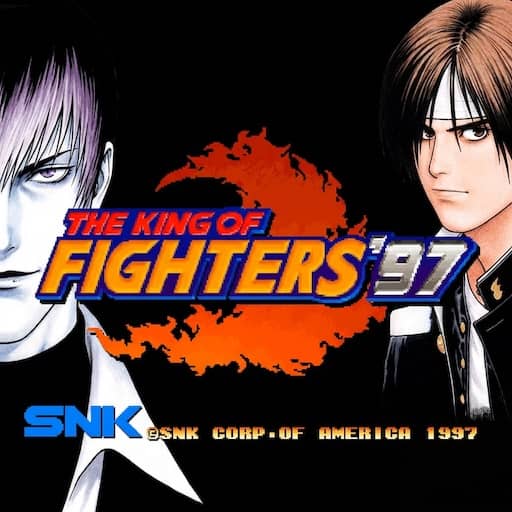
The King of Fighters '97 is SNK's 1997 team fighting game and the conclusion of the Orochi Saga. Build a three-fighter team and choose between Advanced and Extra battle systems.

Plays
0
Views
0

Play The King of Fighters '97 in Your Browser

Play The King of Fighters '97 online in your browser. Choose a three-fighter team, learn the Advanced and Extra systems, and check the arcade controls before starting.

Open game page
Play The King of Fighters '97 in Your BrowserLoading game player…
Controls

Check the player controls for key mappings. Save and restore support depends on the game and player; reloading may lose unsaved progress.

When Play Now appears: 1. Select Play Now. 2. Select Start inside the game player.

Browse games

Related Games

Overview

SNK's official series history describes KOF '97 as the final chapter of the Orochi trilogy. Its roster brings together fighters associated with series such as Fatal Fury and Art of Fighting, alongside original KOF teams.

Advanced mode follows the KOF ’96 style, while Extra mode draws from KOF ’94 and ’95. They change how movement and power resources work, so choose a mode before trying to learn a character’s timing.

This page runs an arcade build through a browser player. Keyboard, controller, credit and start bindings belong to the player rather than the original cabinet, so inspect the control panel before beginning.

How to Play

Open the player controls and identify movement, the four attack buttons, credit and start. Add a credit, press start, then choose team or single play if the loaded build offers both.

Choose three fighters and set their order. Use the first round to learn movement, blocking and the difference between light and heavy attacks before relying on special moves.

Select Advanced or Extra mode deliberately. Their movement and power-gauge behavior differ; switching systems while learning makes inputs and resource timing harder to compare.

Game references

Editorial review status

This game guide was editorially reviewed on . Browser player availability, exact controls, save support, and device compatibility can change after this content review.

Browser controls and troubleshooting

If the keyboard does not respond, click the game screen first and check the actual key mappings in the player controls. Arrow keys scrolling the page can mean the game does not have input focus.

On a phone, check whether the player provides touch buttons. Try landscape or fullscreen if the controls are too small. After connecting a gamepad, press a button with the game focused and check whether the player recognizes it.

For a black screen or a stalled load, wait briefly before using Reload player or Browse games in the embedded player or play page. Reloading restarts the player and may lose unsaved progress. If no save option is available, do not rely on refreshing to preserve progress.

Related guide

Check keyboard and gamepad setup before starting an arcade action, fighting, or shooting game.

Read: Retro Game Controller Guide

Playing ROMs in a browser

Review controls, save methods, browser storage and platform limitations before starting a long session.

Read the browser ROM guide

Explore related online games

FAQ

What is The King of Fighters '97?

It is SNK's 1997 team fighting game and the final chapter of the Orochi Saga.

What is the difference between Advanced and Extra mode?

They are distinct battle systems based on different earlier KOF entries. They change movement and power-resource behavior, so the same fighter can require a different approach.

Why will the arcade game not start immediately?

Arcade builds normally require a credit input followed by start. Open the browser player controls and confirm both mappings.