Decor Life - Home Design Game

Overview

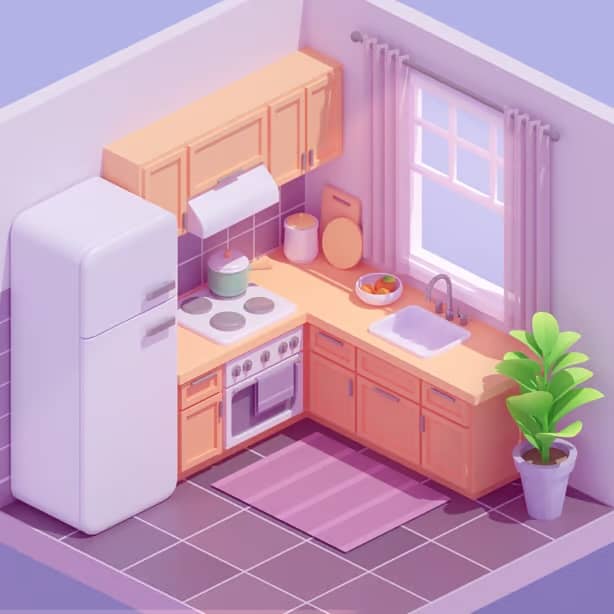
A casual HTML5 home design simulation game where players decorate and renovate various rooms to create beautiful living spaces.

Released in 2020 for HTML5 and developed by CrazyGames, Decor Life - Home Design Game is built around its original console experience. It is part of the Simulation, Kids genres.

You can launch Decor Life - Home Design Game directly in your browser without downloading a separate game client. Read the guide below before playing, then adjust the keyboard or controller settings for your device.

Playable in browserNo download requiredHTML5

Languages:English

Decor Life - Home Design Game

A casual HTML5 home design simulation game where players decorate and renovate various rooms to create beautiful living spaces.

Play Now

Opens the game player in a new browser tab.

Plays
154
Views
468

Related Games

How to Play

Your goal in Decor Life is to transform empty or outdated rooms into stylish, personalized spaces according to client requests. You start each level by selecting a room and reviewing the client's design brief, which outlines their preferred style, color scheme, and required furniture items.

Using your in-game currency, you'll browse a catalog to purchase sofas, tables, wallpapers, flooring, and decorative accessories. Drag and drop items into the room to place them, and use rotation and placement tools to arrange everything perfectly.

Pay attention to the client's happiness meter, which fills up as you meet their requirements; a higher score earns you more coins and stars to unlock future levels. As you progress, you'll encounter more complex challenges, such as working with larger spaces, stricter budgets, or specific thematic constraints like 'modern loft' or 'cozy cottage.

' Focus first on fulfilling the mandatory items listed in the brief before spending on optional decor to maximize your score. In later levels, manage your budget carefully to afford high-end items that yield bigger rewards.

Browser controls and troubleshooting

If the keyboard does not respond, click the game screen first and check the actual key mappings in the player controls. Arrow keys scrolling the page can mean the game does not have input focus.

On a phone, check whether the player provides touch buttons. Try landscape or fullscreen if the controls are too small. After connecting a gamepad, press a button with the game focused and check whether the player recognizes it.

For a black screen or a stalled load, wait briefly before using Reload player or Browse games in the embedded player or play page. Reloading restarts the player and may lose unsaved progress. If no save option is available, do not rely on refreshing to preserve progress.

Related guide

Learn how browser controls, compatibility, and local saves can vary between web games.

Read: Browser Retro Gaming Guide

FAQ

Can I play Decor Life - Home Design Game online?

Yes. You can play Decor Life - Home Design Game directly in your browser. Open the game page and click play to start without setting up an emulator first.

Do I need to download anything to play Decor Life - Home Design Game?

No. Decor Life - Home Design Game is available as a no-download browser game, so you can start playing without installing extra software or downloading files.

What platform or genre is Decor Life - Home Design Game?

Decor Life - Home Design Game is a HTML5 game in the Simulation category. You can use the platform, genre, and related games sections to find similar titles.

What devices can run Decor Life - Home Design Game?

Mobile compatibility and touch controls depend on the game and player. Check the controls shown after Decor Life - Home Design Game starts.

Who developed Decor Life - Home Design Game?

Decor Life - Home Design Game is listed with developer information for CrazyGames. You can also browse related games from the same developer or genre.