Disney's Kim Possible

Overview

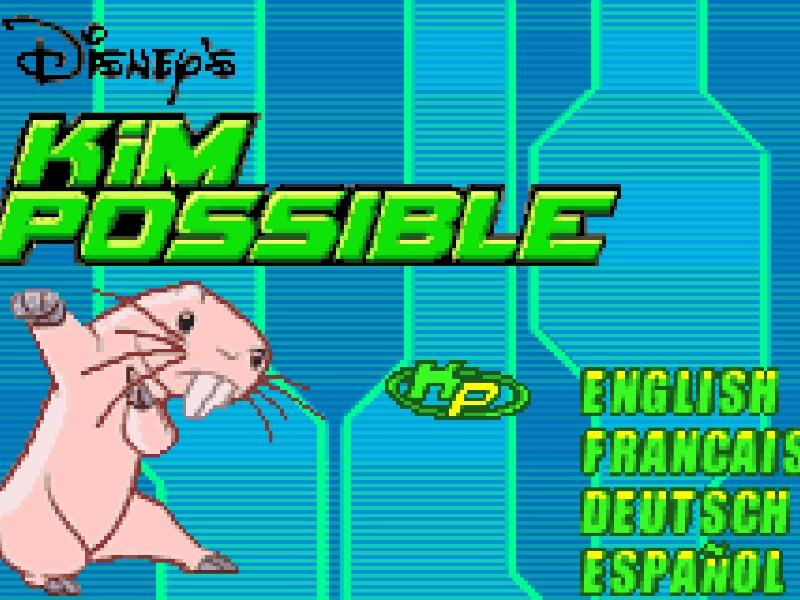
Disney's Kim Possible is an action-platformer video game for the Game Boy Advance based on the animated television series, following teenage secret agent Kim Possible as she fights crime and saves the world.

Released in 2002 for Game Boy Advance and developed by ARTIFICIAL MIND AND MOVEMENT, Disney's Kim Possible is built around its original console experience. It is part of the Action genres.

You can launch Disney's Kim Possible directly in your browser without downloading a separate game client. Read the guide below before playing, then adjust the keyboard or controller settings for your device.

Playable in browserNo download requiredGame Boy Advance

Languages:English / Français / Deutsch / Español

Disney's Kim Possible

Disney's Kim Possible is an action-platformer video game for the Game Boy Advance based on the animated television series, following teenage secret agent Kim Possible as she fights crime and saves the world.

Play Now

Opens the game player in a new browser tab.

Plays
4
Views
78

Related Games

How to Play

Players take control of teenage secret agent Kim Possible as she travels across the globe to thwart the evil plans of villains like Dr. Drakken and Shego. The primary objective is to navigate side-scrolling levels, jump across platforms, overcome environmental hazards, and defeat various enemies using Kim's agile acrobatic moves and high-tech gadgets. Basic controls involve pressing buttons to run, jump, punch, kick, and activate special spy tools to solve puzzles and unlock new pathways.

During the early stages of a run, focus on mastering Kim's movement mechanics and timing your jumps carefully to avoid hazards. As you progress into the middle levels, enemies become more aggressive and require precise timing on strikes and dodges to overcome without taking heavy damage. In tense boss encounters, observe enemy attack patterns closely, look for predictable openings, and utilize your collected gadgets strategically to land hits while keeping Kim out of harm's way.

Browser controls and troubleshooting

If the keyboard does not respond, click the game screen first and check the actual key mappings in the player controls. Arrow keys scrolling the page can mean the game does not have input focus.

On a phone, check whether the player provides touch buttons. Try landscape or fullscreen if the controls are too small. After connecting a gamepad, press a button with the game focused and check whether the player recognizes it.

For a black screen or a stalled load, wait briefly before using Reload player or Browse games in the embedded player or play page. Reloading restarts the player and may lose unsaved progress. If no save option is available, do not rely on refreshing to preserve progress.

Related guide

Understand the difference between in-game saves, save states, and browser storage.

Read: How Browser Game Saves Work

Playing ROMs in a browser

Review controls, save methods, browser storage and platform limitations before starting a long session.

Read the browser ROM guide

FAQ

Can I play Disney's Kim Possible online?

Yes. You can play Disney's Kim Possible directly in your browser. Open the game page and click play to start without setting up an emulator first.

Do I need to download anything to play Disney's Kim Possible?

No. Disney's Kim Possible is available as a no-download browser game, so you can start playing without installing extra software or downloading files.

What platform or genre is Disney's Kim Possible?

Disney's Kim Possible is a Game Boy Advance game in the Action category. You can use the platform, genre, and related games sections to find similar titles.

What devices can run Disney's Kim Possible?

Mobile compatibility and touch controls depend on the game and player. Check the controls shown after Disney's Kim Possible starts.

Who developed Disney's Kim Possible?

Disney's Kim Possible is listed with developer information for ARTIFICIAL MIND AND MOVEMENT. You can also browse related games from the same developer or genre.