Retro
Golden Axe II

Overview

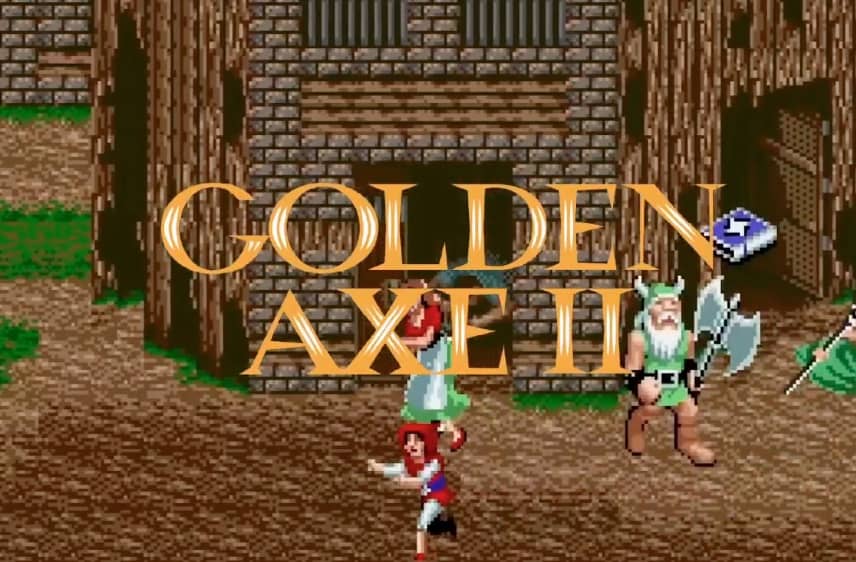
Golden Axe II is a classic side-scrolling hack-and-slash action game developed by Sega for the Genesis. Set in a fantasy medieval world, players choose from three distinct heroes to battle through hordes of enemies and reclaim the magical Golden Axe from the evil Dark Guld.

Released in 1991 for Genesis and developed by SEGA, Golden Axe II is built around its original console experience. It is part of the Action, Roleplaying genres.

You can launch Golden Axe II directly in your browser without downloading a separate game client. Read the guide below before playing, then adjust the keyboard or controller settings for your device.

Playable in browserNo download requiredGenesis

Languages:English

Golden Axe II

Golden Axe II is a classic side-scrolling hack-and-slash action game developed by Sega for the Genesis. Set in a fantasy medieval world, players choose from three distinct heroes to battle through hordes of enemies and reclaim the magical Golden Axe from the evil Dark Guld.

Play Now

Opens the game player in a new browser tab.

Plays
34
Views
57

Related Games

How to Play

To begin your journey in Golden Axe II, select one of the three heroic characters: Ax Battler, Gilius Thunderhead, or Tyris Flare, each equipped with their own unique weapon style and magic abilities. The core objective is to advance through successive scrolling stages, defeating waves of fantasy foes using your basic melee attacks, jumps, and directional maneuvers to clear the screen and survive the onslaught.

During gameplay, master the rhythm of combat by combining your primary attack, jump, and magic buttons. Collect magic books dropped by green thieves to unleash devastating spells that clear the screen of enemies. Pay attention to positioning, utilize mounts when available, and conserve your magic for boss encounters to ensure success throughout your quest.

Browser controls and troubleshooting

If the keyboard does not respond, click the game screen first and check the actual key mappings in the player controls. Arrow keys scrolling the page can mean the game does not have input focus.

On a phone, check whether the player provides touch buttons. Try landscape or fullscreen if the controls are too small. After connecting a gamepad, press a button with the game focused and check whether the player recognizes it.

For a black screen or a stalled load, wait briefly before using Reload player or Browse games in the embedded player or play page. Reloading restarts the player and may lose unsaved progress. If no save option is available, do not rely on refreshing to preserve progress.

Related guide

Review browser, controller, and save basics before starting a Sega Genesis game.

Read: Browser Retro Gaming Guide

FAQ

Can I play Golden Axe II online?

Yes. You can play Golden Axe II directly in your browser. Open the game page and click play to start without setting up an emulator first.

Do I need to download anything to play Golden Axe II?

No. Golden Axe II is available as a no-download browser game, so you can start playing without installing extra software or downloading files.

What platform or genre is Golden Axe II?

Golden Axe II is a Genesis game in the Action category. You can use the platform, genre, and related games sections to find similar titles.

What devices can run Golden Axe II?

Mobile compatibility and touch controls depend on the game and player. Check the controls shown after Golden Axe II starts.

Who developed Golden Axe II?

Golden Axe II is listed with developer information for SEGA. You can also browse related games from the same developer or genre.