Goodboy Galaxy

Overview

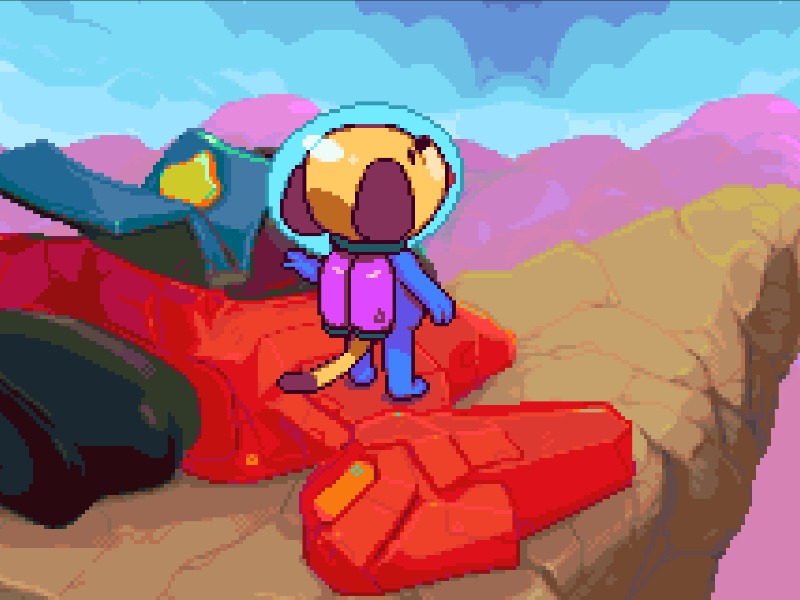
Goodboy Galaxy is an exploration-focused platform adventure game developed for the Game Boy Advance, featuring intricate labyrinthine worlds, charming pixel art, and atmospheric sci-fi storytelling.

Released in 2023 for Game Boy Advance and developed by RIK MEET DIRECTOR AND PLANETARIUM, Goodboy Galaxy is built around its original console experience. It is part of the Action, Adventure genres.

You can launch Goodboy Galaxy directly in your browser without downloading a separate game client. Read the guide below before playing, then adjust the keyboard or controller settings for your device.

Playable in browserNo download requiredGame Boy Advance

Languages:English

Goodboy Galaxy

Goodboy Galaxy is an exploration-focused platform adventure game developed for the Game Boy Advance, featuring intricate labyrinthine worlds, charming pixel art, and atmospheric sci-fi storytelling.

Play Now

Opens the game player in a new browser tab.

Plays
22
Views
76

Related Games

How to Play

Welcome to Goodboy Galaxy, an atmospheric exploration platformer where you guide a curious canine space explorer through intricate alien worlds. Your primary objective is to navigate sprawling subterranean complexes, uncover hidden secrets, and collect essential upgrades to progress further into uncharted sectors. Movement and environmental traversal are central to your survival, requiring precise jumps, wall slides, and careful timing to bypass hazardous obstacles and hostile alien creatures.

As you advance through your journey, you will frequently need to interact with computer terminals, converse with eccentric characters, and acquire new tools that unlock previously inaccessible pathways. In the early stages of the game, focus on mastering basic jumping and shooting mechanics while mapping out your immediate surroundings. During more tense encounters, prioritize evasion and positioning over direct confrontation, utilizing ranged attacks to handle enemies safely from a distance. Pay close attention to environmental hints and audio cues to successfully overcome the planet's many mysteries.

Browser controls and troubleshooting

If the keyboard does not respond, click the game screen first and check the actual key mappings in the player controls. Arrow keys scrolling the page can mean the game does not have input focus.

On a phone, check whether the player provides touch buttons. Try landscape or fullscreen if the controls are too small. After connecting a gamepad, press a button with the game focused and check whether the player recognizes it.

For a black screen or a stalled load, wait briefly before using Reload player or Browse games in the embedded player or play page. Reloading restarts the player and may lose unsaved progress. If no save option is available, do not rely on refreshing to preserve progress.

Related guide

Understand the difference between in-game saves, save states, and browser storage.

Read: How Browser Game Saves Work

Playing ROMs in a browser

Review controls, save methods, browser storage and platform limitations before starting a long session.

Read the browser ROM guide

FAQ

Can I play Goodboy Galaxy online?

Yes. You can play Goodboy Galaxy directly in your browser. Open the game page and click play to start without setting up an emulator first.

Do I need to download anything to play Goodboy Galaxy?

No. Goodboy Galaxy is available as a no-download browser game, so you can start playing without installing extra software or downloading files.

What platform or genre is Goodboy Galaxy?

Goodboy Galaxy is a Game Boy Advance game in the Action category. You can use the platform, genre, and related games sections to find similar titles.

What devices can run Goodboy Galaxy?

Mobile compatibility and touch controls depend on the game and player. Check the controls shown after Goodboy Galaxy starts.

Who developed Goodboy Galaxy?

Goodboy Galaxy is listed with developer information for RIK MEET DIRECTOR AND PLANETARIUM. You can also browse related games from the same developer or genre.