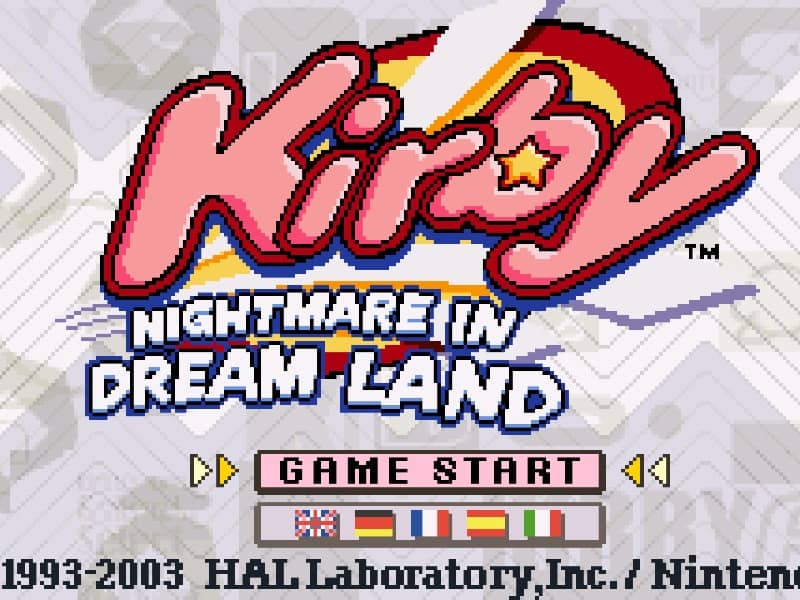
Kirby - Nightmare in Dreamland

Overview

A vibrant Game Boy Advance remake of the classic NES platformer Kirby's Adventure, featuring enhanced graphics, new minigames, and multiplayer support.

Released in 2002 for Game Boy Advance and developed by HAL LABORATORY, Kirby - Nightmare in Dreamland is built around its original console experience. It is part of the Action genres.

You can launch Kirby - Nightmare in Dreamland directly in your browser without downloading a separate game client. Read the guide below before playing, then adjust the keyboard or controller settings for your device.

Playable in browserNo download requiredGame Boy Advance

Languages:English

Kirby - Nightmare in Dreamland

A vibrant Game Boy Advance remake of the classic NES platformer Kirby's Adventure, featuring enhanced graphics, new minigames, and multiplayer support.

Play Now

Opens the game player in a new browser tab.

Plays
110
Views
265

Related Games

How to Play

Run, jump, and inhale enemies to navigate through horizontal and vertical levels. Inhaling certain enemies allows Kirby to copy their unique abilities, such as wielding a sword, breathing fire, or throwing bombs. Use these abilities to defeat foes, break obstacles, and uncover hidden areas containing secret switches and extra lives. If you take damage, you may lose your current copy ability, but you can quickly inhale it back before it bounces away and disappears.

Float through the air by inhaling deeply, allowing you to bypass hazards, though you cannot attack while floating unless you exhale an air puff. Boss battles await at the end of each world, requiring you to carefully dodge their attack patterns and strike back using copied powers or by inhaling the stars they drop. Master the timing of your slides and jumps to survive the increasingly challenging stages and recover the pieces of the shattered Star Rod.

Browser controls and troubleshooting

If the keyboard does not respond, click the game screen first and check the actual key mappings in the player controls. Arrow keys scrolling the page can mean the game does not have input focus.

On a phone, check whether the player provides touch buttons. Try landscape or fullscreen if the controls are too small. After connecting a gamepad, press a button with the game focused and check whether the player recognizes it.

For a black screen or a stalled load, wait briefly before using Reload player or Browse games in the embedded player or play page. Reloading restarts the player and may lose unsaved progress. If no save option is available, do not rely on refreshing to preserve progress.

Related guide

Understand the difference between in-game saves, save states, and browser storage.

Read: How Browser Game Saves Work

Playing ROMs in a browser

Review controls, save methods, browser storage and platform limitations before starting a long session.

Read the browser ROM guide

FAQ

Can I play Kirby - Nightmare in Dreamland online?

Yes. You can play Kirby - Nightmare in Dreamland directly in your browser. Open the game page and click play to start without setting up an emulator first.

Do I need to download anything to play Kirby - Nightmare in Dreamland?

No. Kirby - Nightmare in Dreamland is available as a no-download browser game, so you can start playing without installing extra software or downloading files.

What platform or genre is Kirby - Nightmare in Dreamland?

Kirby - Nightmare in Dreamland is a Game Boy Advance game in the Action category. You can use the platform, genre, and related games sections to find similar titles.

What devices can run Kirby - Nightmare in Dreamland?

Mobile compatibility and touch controls depend on the game and player. Check the controls shown after Kirby - Nightmare in Dreamland starts.

Who developed Kirby - Nightmare in Dreamland?

Kirby - Nightmare in Dreamland is listed with developer information for HAL LABORATORY. You can also browse related games from the same developer or genre.