

Mahjong Academy
Playable in browserNo download requiredArcade

Languages:日本語

Play Mahjong Academy Online

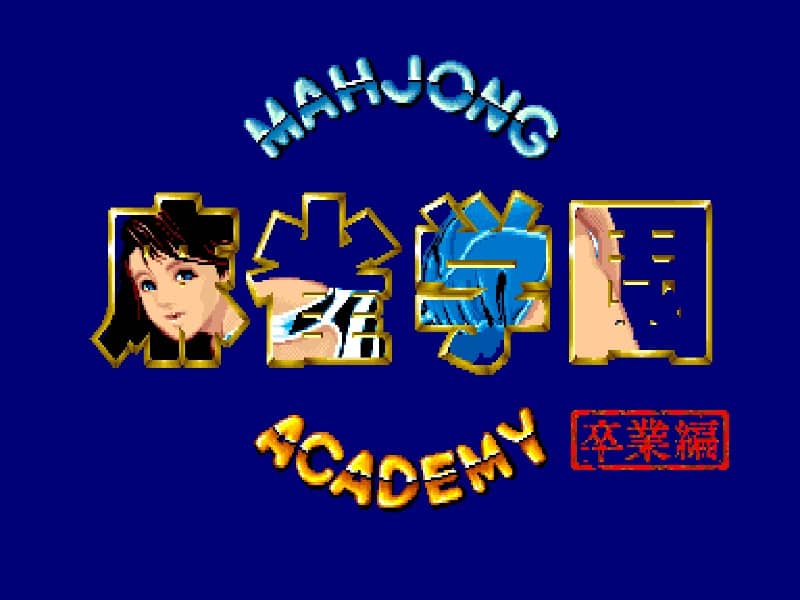
Mahjong Academy is a Japanese arcade riichi mahjong entry presented through an emulator. Read the tile controls, build a legal hand and confirm the exact title on the opening screen before using a version-specific guide.

Plays
296
Views
660

Play Mahjong Academy in Your Browser

Play Mahjong Academy online with arcade controls. Learn the basic riichi mahjong flow and check the title screen to identify the exact series entry.

Open game page
Play Mahjong Academy in Your BrowserLoading game player…
Controls

Check the player controls for key mappings. Save and restore support depends on the game and player; reloading may lose unsaved progress.

When Play Now appears: 1. Select Play Now. 2. Select Start inside the game player.

Browse games

Related Games

Overview

The catalog name and 1989 slug are ambiguous. Public arcade records place Mahjong Gakuen: Sotsugyohen in 1988 and its sequel, Mahjong Gakuen 2: Gakuen-chou no Fukushuu, in 1989, so this page does not claim which ROM is loaded without title-screen evidence.

These arcade releases may contain adult-oriented imagery. The page should not be presented as a children’s mahjong tutorial, and the exact content depends on the emulated build.

How to Play

Insert a virtual credit and inspect the mahjong-panel mapping. Identify the buttons used to select a discard and to call chi, pon, kan, riichi or ron when those actions are legal.

Build four groups and a pair while watching suit structure, honor tiles and the need for at least one valid yaku. Do not call every available tile, because opening the hand removes some yaku options.

Check the title screen before following character, opponent or progression instructions. Rules and presentation can differ between the 1988 game, the 1989 sequel and later home conversions.

Game references

Browser controls and troubleshooting

If the keyboard does not respond, click the game screen first and check the actual key mappings in the player controls. Arrow keys scrolling the page can mean the game does not have input focus.

On a phone, check whether the player provides touch buttons. Try landscape or fullscreen if the controls are too small. After connecting a gamepad, press a button with the game focused and check whether the player recognizes it.

For a black screen or a stalled load, wait briefly before using Reload player or Browse games in the embedded player or play page. Reloading restarts the player and may lose unsaved progress. If no save option is available, do not rely on refreshing to preserve progress.

Related guide

Check keyboard and gamepad setup before starting an arcade action, fighting, or shooting game.

Read: Retro Game Controller Guide

Playing ROMs in a browser

Review controls, save methods, browser storage and platform limitations before starting a long session.

Read the browser ROM guide

FAQ

Which Mahjong Academy game is this?

The catalog data is not enough to distinguish the 1988 Mahjong Gakuen: Sotsugyohen from its 1989 sequel. Check the loaded title screen for the Japanese subtitle.

Does the game use Japanese mahjong rules?

The identified arcade series uses Japanese riichi mahjong, but exact rule options should be checked in the loaded build.

Is Mahjong Academy suitable for children?

Some entries in this arcade series contain adult-oriented imagery, so the page should not be treated as child-focused content.