Retro
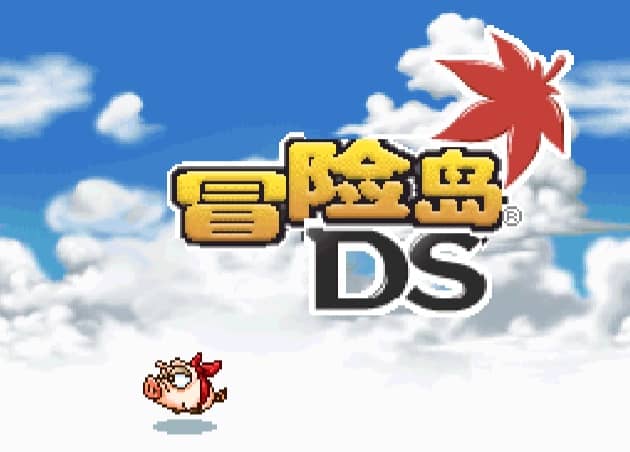
MapleStory DS
Playable in browserNo download requiredNintendo DS

Languages:繁體中文

Play MapleStory DS Online

MapleStory DS is a 2010 single-player action RPG co-developed by Nexon and Nintendo for the Korean Nintendo DS market. Four character classes experience connected sides of the same story.

Plays
110
Views
275

Play MapleStory DS in Your Browser

Play MapleStory DS online. Follow four connected stories as a Warrior, Thief, Archer or Magician in Nexon and Nintendo’s standalone action RPG.

Open game page
Play MapleStory DS in Your BrowserLoading game player…
Controls

Check the player controls for key mappings. Save and restore support depends on the game and player; reloading may lose unsaved progress.

When Play Now appears: 1. Select Play Now. 2. Select Start inside the game player.

Browse games

Overview

The four protagonists use the Warrior, Thief, Archer and Magician classes. Each follows a separate route, and their stories overlap to reveal different parts of the central events.

This is not the online PC version of MapleStory. It was designed as a standalone handheld adventure, and the original Korean release should not be assumed to contain an official English localization.
How to Play

Confirm the loaded language and Nintendo DS control mapping before choosing a character. Learn the selected class’s attack range and movement options in the early areas.

Explore each map for exits, characters and usable objects. Equip suitable items and use class skills deliberately rather than spending resources on every encounter.

Save regularly and try another protagonist after finishing or reaching a natural stopping point. The four routes are meant to show connected events from different perspectives.

Game references

Browser controls and troubleshooting

If the keyboard does not respond, click the game screen first and check the actual key mappings in the player controls. Arrow keys scrolling the page can mean the game does not have input focus.

On a phone, check whether the player provides touch buttons. Try landscape or fullscreen if the controls are too small. After connecting a gamepad, press a button with the game focused and check whether the player recognizes it.

For a black screen or a stalled load, wait briefly before using Reload player or Browse games in the embedded player or play page. Reloading restarts the player and may lose unsaved progress. If no save option is available, do not rely on refreshing to preserve progress.

Related Games

FAQ

Is MapleStory DS an online game?

No. It is a standalone single-player action RPG made for Nintendo DS, not a portable client for the MapleStory MMO.

Which classes are playable?

The four protagonists represent the Warrior, Thief, Archer and Magician classes.

Was MapleStory DS released in English?

The original 2010 release targeted South Korea. Check the loaded build’s language rather than assuming it includes an official English version.