Minecraft Offline Edition

Overview

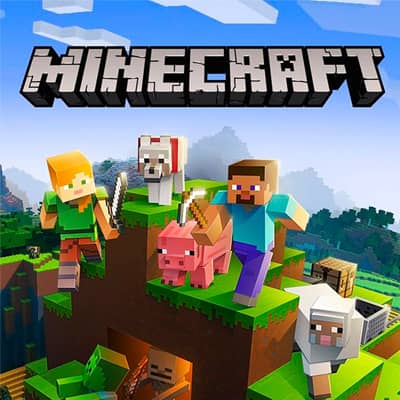
A sandbox adventure game where players explore a blocky, procedurally generated world, mine resources, craft tools, and build structures in a creative or survival mode.

Released in 2011 for HTML5 and developed by Mojang Studios, Minecraft Offline Edition is built around its original console experience. It is part of the Adventure, Kids genres.

You can launch Minecraft Offline Edition directly in your browser without downloading a separate game client. Read the guide below before playing, then adjust the keyboard or controller settings for your device.

Playable in browserNo download requiredHTML5

Languages:English

Minecraft Offline Edition

A sandbox adventure game where players explore a blocky, procedurally generated world, mine resources, craft tools, and build structures in a creative or survival mode.

Play Now

Opens the game player in a new browser tab.

Plays
3133
Views
3786

Related Games

How to Play

In Minecraft, your primary goal is to survive and thrive in a vast, block-based world. You start by punching trees to gather wood, which you can then craft into basic tools like a crafting table, pickaxe, and sword.

Use these tools to mine stone and ores, build a shelter before nightfall to protect yourself from hostile mobs like zombies and creepers, and eventually farm food to sustain your health. The core loop involves gathering resources during the day and defending your base at night, with progression leading to enchanting gear, exploring dangerous dimensions like the Nether, and defeating the Ender Dragon.

Browser controls and troubleshooting

If the keyboard does not respond, click the game screen first and check the actual key mappings in the player controls. Arrow keys scrolling the page can mean the game does not have input focus.

On a phone, check whether the player provides touch buttons. Try landscape or fullscreen if the controls are too small. After connecting a gamepad, press a button with the game focused and check whether the player recognizes it.

For a black screen or a stalled load, wait briefly before using Reload player or Browse games in the embedded player or play page. Reloading restarts the player and may lose unsaved progress. If no save option is available, do not rely on refreshing to preserve progress.

Related guide

Learn how browser controls, compatibility, and local saves can vary between web games.

Read: Browser Retro Gaming Guide

FAQ

Can I play Minecraft Offline Edition online?

Yes. You can play Minecraft Offline Edition directly in your browser. Open the game page and click play to start without setting up an emulator first.

Do I need to download anything to play Minecraft Offline Edition?

No. Minecraft Offline Edition is available as a no-download browser game, so you can start playing without installing extra software or downloading files.

What platform or genre is Minecraft Offline Edition?

Minecraft Offline Edition is a HTML5 game in the Adventure category. You can use the platform, genre, and related games sections to find similar titles.

What devices can run Minecraft Offline Edition?

Mobile compatibility and touch controls depend on the game and player. Check the controls shown after Minecraft Offline Edition starts.

Who developed Minecraft Offline Edition?

Minecraft Offline Edition is listed with developer information for Mojang Studios. You can also browse related games from the same developer or genre.