Tower Bloxx

Overview

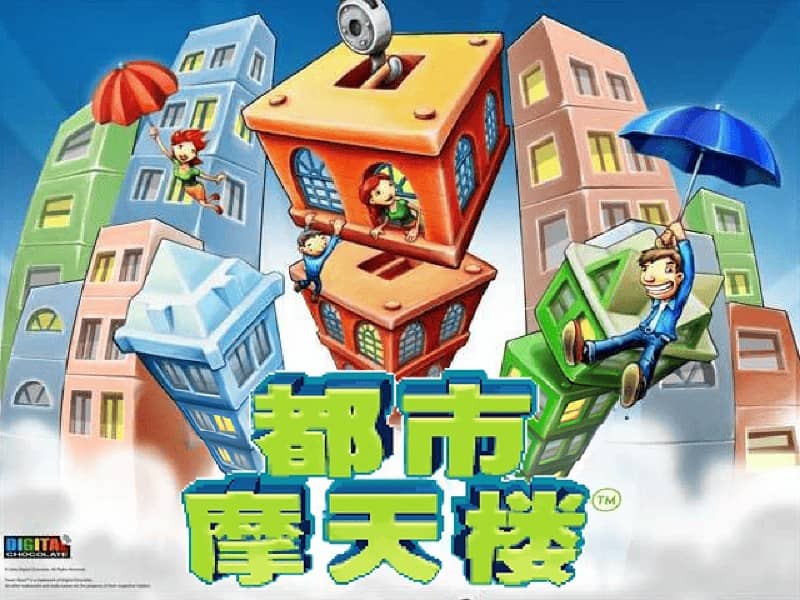
A casual puzzle game where players stack blocks to build tall towers, aiming for height and stability while managing balance and timing.

Released in 2006 for FLASH and developed by Digital Chocolate, Tower Bloxx is built around its original console experience. It is part of the Casual genres.

You can launch Tower Bloxx directly in your browser without downloading a separate game client. Read the guide below before playing, then adjust the keyboard or controller settings for your device.

Playable in browserNo download requiredFLASH

Languages:简体中文

Tower Bloxx

A casual puzzle game where players stack blocks to build tall towers, aiming for height and stability while managing balance and timing.

Play Now

Opens the game player in a new browser tab.

Plays
1132
Views
1836

Related Games

How to Play

The goal of Tower Bloxx is to construct the tallest, most stable tower possible by stacking blocks dropped from a crane. Each level begins with a base block, and you control the crane's horizontal movement to position each new block directly above the one below.

Timing is critical: tap or click to release the block. A perfect drop lands the block squarely on top, adding to your tower's height.

If a block overhangs too much, the unbalanced section will break off, reducing your tower's height and making the remaining structure less stable. As you progress, the crane moves faster, and wind may push your blocks, increasing the challenge.

Focus on precision in the early stages to build a solid foundation. In later levels, anticipate the crane's speed and external factors to maintain control during tense moments.

The key to a high score is consistent, centered drops and quick adjustments.

Browser controls and troubleshooting

If the keyboard does not respond, click the game screen first and check the actual key mappings in the player controls. Arrow keys scrolling the page can mean the game does not have input focus.

On a phone, check whether the player provides touch buttons. Try landscape or fullscreen if the controls are too small. After connecting a gamepad, press a button with the game focused and check whether the player recognizes it.

For a black screen or a stalled load, wait briefly before using Reload player or Browse games in the embedded player or play page. Reloading restarts the player and may lose unsaved progress. If no save option is available, do not rely on refreshing to preserve progress.

Playing ROMs in a browser

Review controls, save methods, browser storage and platform limitations before starting a long session.

Read the browser ROM guide

FAQ

Can I play Tower Bloxx online?

Yes. You can play Tower Bloxx directly in your browser. Open the game page and click play to start without setting up an emulator first.

Do I need to download anything to play Tower Bloxx?

No. Tower Bloxx is available as a no-download browser game, so you can start playing without installing extra software or downloading files.

What platform or genre is Tower Bloxx?

Tower Bloxx is a FLASH game in the Casual category. You can use the platform, genre, and related games sections to find similar titles.

What devices can run Tower Bloxx?

Mobile compatibility and touch controls depend on the game and player. Check the controls shown after Tower Bloxx starts.

Who developed Tower Bloxx?

Tower Bloxx is listed with developer information for Digital Chocolate. You can also browse related games from the same developer or genre.