Urban Strike

Overview

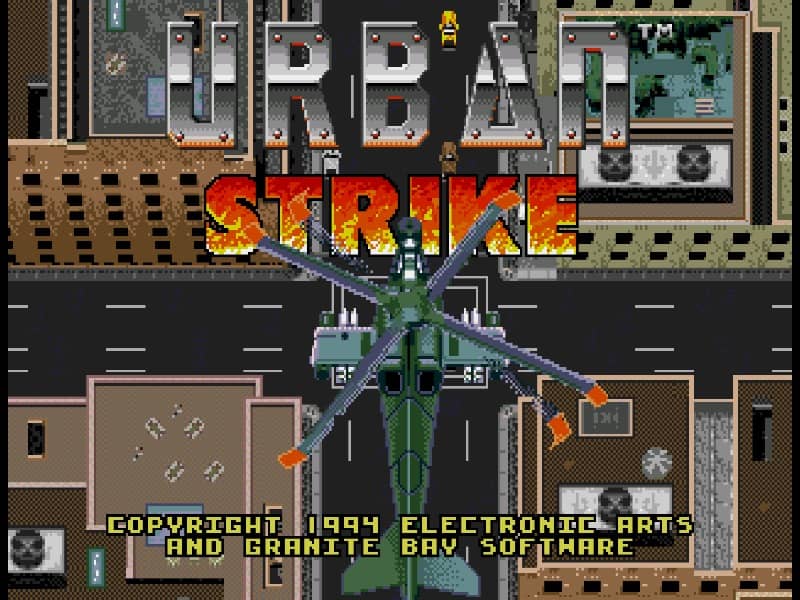
A helicopter-based combat game where the player undertakes missions to dismantle a global criminal organization across urban environments.

Released in 1994 for Genesis and developed by Granite Bay Software, Urban Strike is built around its original console experience. It is part of the Shooter genres.

You can launch Urban Strike directly in your browser without downloading a separate game client. Read the guide below before playing, then adjust the keyboard or controller settings for your device.

Playable in browserNo download requiredGenesis

Languages:English

Urban Strike

A helicopter-based combat game where the player undertakes missions to dismantle a global criminal organization across urban environments.

Play Now

Opens the game player in a new browser tab.

Plays
79
Views
305

Related Games

How to Play

In Urban Strike, you pilot an advanced combat helicopter through a series of missions set in cities, jungles, and enemy bases. Your primary objective is to complete mission goals, which typically involve destroying key targets, rescuing hostages, and collecting intelligence.

Moment-to-moment play involves navigating the terrain while engaging enemy vehicles, troops, and installations with your helicopter's machine guns and limited supply of missiles. A useful beginner strategy is to carefully manage your missile count, saving them for heavily armored targets like tanks and bunkers, while using your machine gun to clear out infantry and lighter vehicles.

The challenge rhythm is defined by navigating tight urban canyons and open areas while under constant fire, requiring you to balance aggression with evasion. In the early moments of a mission, focus on scouting the area to locate mission-critical objects and weak points in enemy defenses.

As you progress, the tension rises with the arrival of more powerful enemy units, demanding precise aim and smart use of cover. During tense moments, prioritize destroying anti-aircraft emplacements and evading homing missiles to survive and complete your objectives.

Browser controls and troubleshooting

If the keyboard does not respond, click the game screen first and check the actual key mappings in the player controls. Arrow keys scrolling the page can mean the game does not have input focus.

On a phone, check whether the player provides touch buttons. Try landscape or fullscreen if the controls are too small. After connecting a gamepad, press a button with the game focused and check whether the player recognizes it.

For a black screen or a stalled load, wait briefly before using Reload player or Browse games in the embedded player or play page. Reloading restarts the player and may lose unsaved progress. If no save option is available, do not rely on refreshing to preserve progress.

Related guide

Review browser, controller, and save basics before starting a Sega Genesis game.

Read: Browser Retro Gaming Guide

Playing ROMs in a browser

Review controls, save methods, browser storage and platform limitations before starting a long session.

Read the browser ROM guide

FAQ

Can I play Urban Strike online?

Yes. You can play Urban Strike directly in your browser. Open the game page and click play to start without setting up an emulator first.

Do I need to download anything to play Urban Strike?

No. Urban Strike is available as a no-download browser game, so you can start playing without installing extra software or downloading files.

What platform or genre is Urban Strike?

Urban Strike is a Genesis game in the Shooter category. You can use the platform, genre, and related games sections to find similar titles.

What devices can run Urban Strike?

Mobile compatibility and touch controls depend on the game and player. Check the controls shown after Urban Strike starts.

Who developed Urban Strike?

Urban Strike is listed with developer information for Granite Bay Software. You can also browse related games from the same developer or genre.