
Yan Loong Legend 2: 2nd Impact
Playable in browserNo download requiredFLASH

Languages:简体中文

Play Yan Loong Legend 2: 2nd Impact Online

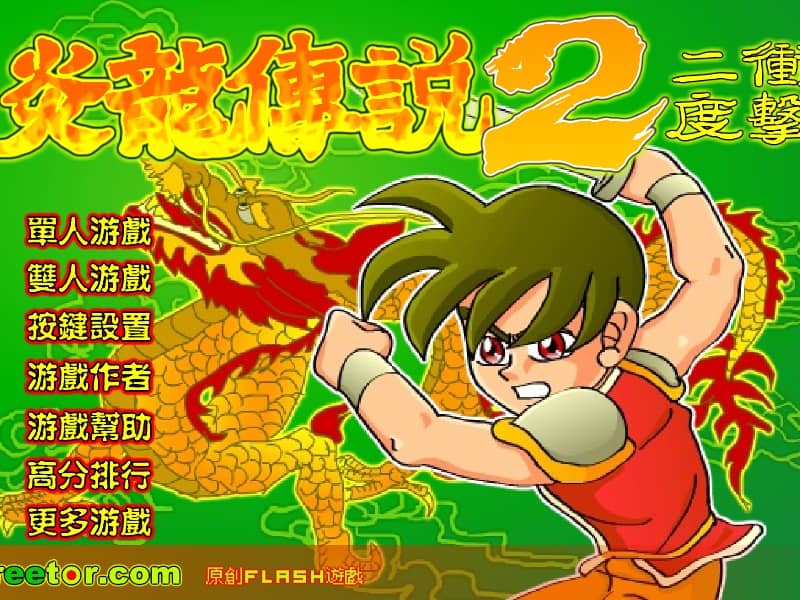
Yan Loong Legend 2: 2nd Impact is a Creetor Flash beat ’em up with RPG progression. Its defining addition is an ability-point system that lets players shape a character after leveling up.

Plays
21
Views
234

Play Yan Loong Legend 2: 2nd Impact in Your Browser

Play Yan Loong Legend 2: 2nd Impact online. Build combos, level up and allocate ability points in Creetor’s side-scrolling Flash action game.

Open game page
Play Yan Loong Legend 2: 2nd Impact in Your BrowserLoading game player…
Controls

Check the player controls for key mappings. Save and restore support depends on the game and player; reloading may lose unsaved progress.

When Play Now appears: 1. Select Play Now. 2. Select Start inside the game player.

Browse games

Related Games

Overview

The game keeps the series’ side-scrolling sword combat, combo experience and qigong skills while giving level gains a more deliberate role. Ability points can be allocated differently on a new run, changing how the character develops.

Do not confuse 2nd Impact with The Double Dragon. Creetor’s official description assigns ability points to 2nd Impact, while local two-player mode begins with The Double Dragon.

How to Play

Confirm the controls and choose the available character. Test basic attacks and movement before spending limited energy on skills.

Build combo hits when it is safe because the official collection ties higher combo counts to more experience. After leveling, open the character panel and allocate ability points with a clear priority.

Keep enemies grouped on one side and reposition after a completed combo. Preserve recovery items and qigong energy for difficult waves and bosses.

Game references

Browser controls and troubleshooting

If the keyboard does not respond, click the game screen first and check the actual key mappings in the player controls. Arrow keys scrolling the page can mean the game does not have input focus.

On a phone, check whether the player provides touch buttons. Try landscape or fullscreen if the controls are too small. After connecting a gamepad, press a button with the game focused and check whether the player recognizes it.

For a black screen or a stalled load, wait briefly before using Reload player or Browse games in the embedded player or play page. Reloading restarts the player and may lose unsaved progress. If no save option is available, do not rely on refreshing to preserve progress.

Playing ROMs in a browser

Review controls, save methods, browser storage and platform limitations before starting a long session.

Read the browser ROM guide

FAQ

What did 2nd Impact add?

Creetor says 2nd Impact introduced allocatable character ability points earned on level-up.

Is 2nd Impact a two-player game?

The official collection says two-player mode starts with The Double Dragon, a separate version.

Who developed this version?

Creetor is the developer and publisher of the Yan Loong Legend series collection.