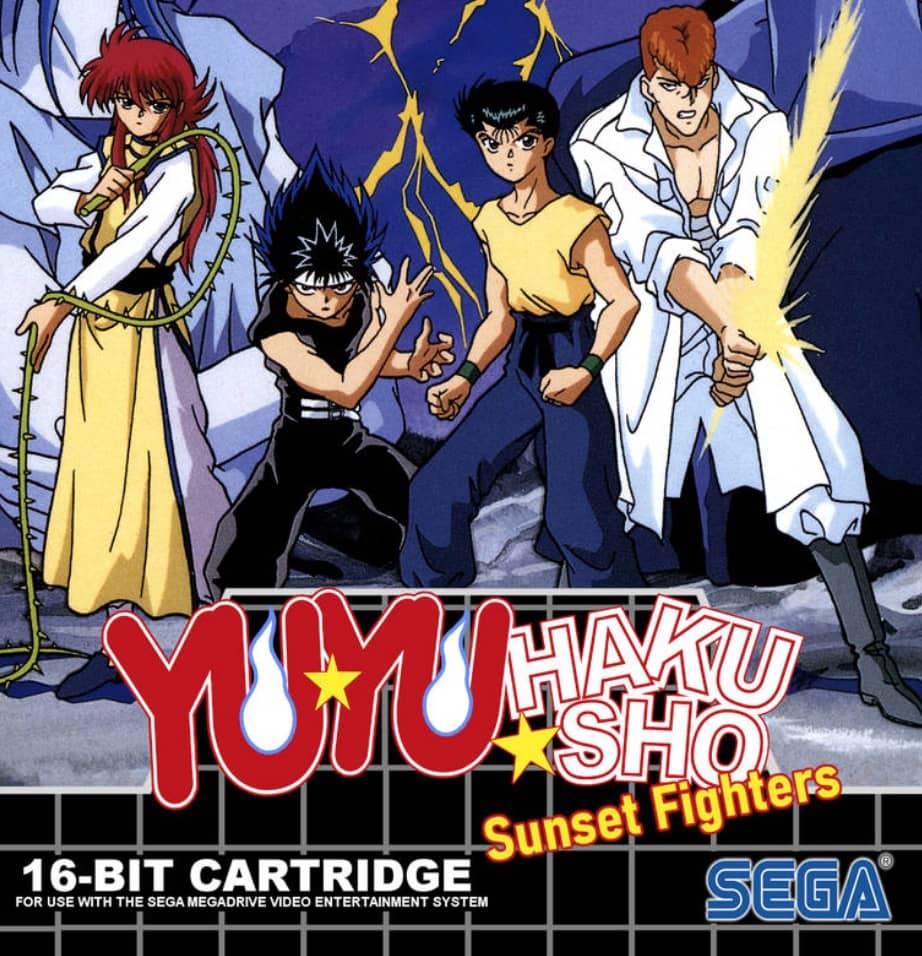
Yuu Yuu Hakusho: Makyo Toitsusen

Overview

A 2D fighting game based on the popular Yu Yu Hakusho anime series, featuring characters and storylines from the franchise in one-on-one combat.

Released in 1994 for Genesis and developed by Sega, Yuu Yuu Hakusho: Makyo Toitsusen is built around its original console experience. It is part of the Fighting genres.

You can launch Yuu Yuu Hakusho: Makyo Toitsusen directly in your browser without downloading a separate game client. Read the guide below before playing, then adjust the keyboard or controller settings for your device.
Playable in browserNo download requiredGenesis

Languages:简体中文

Yuu Yuu Hakusho: Makyo Toitsusen

A 2D fighting game based on the popular Yu Yu Hakusho anime series, featuring characters and storylines from the franchise in one-on-one combat.

Play Now

Opens the game player in a new browser tab.

Plays
70
Views
349

Related Games

How to Play

Yuu Yuu Hakusho: Makyo Toitsusen is a competitive 2D fighting game where players select a character from the anime series to battle opponents. The core objective is to deplete the opponent's health bar before your own runs out using a combination of basic attacks, special moves, and super attacks.

Each character has unique moves executed with directional inputs and button combinations, similar to other fighting games of the era. Beginners should focus on mastering a character's basic punch and kick attacks to control space, while learning one or two reliable special moves for dealing damage.

The challenge comes from reading the opponent's actions, blocking incoming attacks, and capitalizing on openings to land a combo. In tense moments, managing your spirit energy gauge is crucial, as it allows you to perform powerful super moves that can turn the tide of a match.

The gameplay loop involves winning a series of one-on-one fights to progress through the story or defeat opponents in versus mode.

Browser controls and troubleshooting

If the keyboard does not respond, click the game screen first and check the actual key mappings in the player controls. Arrow keys scrolling the page can mean the game does not have input focus.

On a phone, check whether the player provides touch buttons. Try landscape or fullscreen if the controls are too small. After connecting a gamepad, press a button with the game focused and check whether the player recognizes it.

For a black screen or a stalled load, wait briefly before using Reload player or Browse games in the embedded player or play page. Reloading restarts the player and may lose unsaved progress. If no save option is available, do not rely on refreshing to preserve progress.

Related guide

Review browser, controller, and save basics before starting a Sega Genesis game.

Read: Browser Retro Gaming Guide

Playing ROMs in a browser

Review controls, save methods, browser storage and platform limitations before starting a long session.

Read the browser ROM guide

FAQ

Can I play Yuu Yuu Hakusho: Makyo Toitsusen online?

Yes. You can play Yuu Yuu Hakusho: Makyo Toitsusen directly in your browser. Open the game page and click play to start without setting up an emulator first.

Do I need to download anything to play Yuu Yuu Hakusho: Makyo Toitsusen?

No. Yuu Yuu Hakusho: Makyo Toitsusen is available as a no-download browser game, so you can start playing without installing extra software or downloading files.

What platform or genre is Yuu Yuu Hakusho: Makyo Toitsusen?

Yuu Yuu Hakusho: Makyo Toitsusen is a Genesis game in the Fighting category. You can use the platform, genre, and related games sections to find similar titles.

What devices can run Yuu Yuu Hakusho: Makyo Toitsusen?

Mobile compatibility and touch controls depend on the game and player. Check the controls shown after Yuu Yuu Hakusho: Makyo Toitsusen starts.

Who developed Yuu Yuu Hakusho: Makyo Toitsusen?

Yuu Yuu Hakusho: Makyo Toitsusen is listed with developer information for Sega. You can also browse related games from the same developer or genre.