Retro
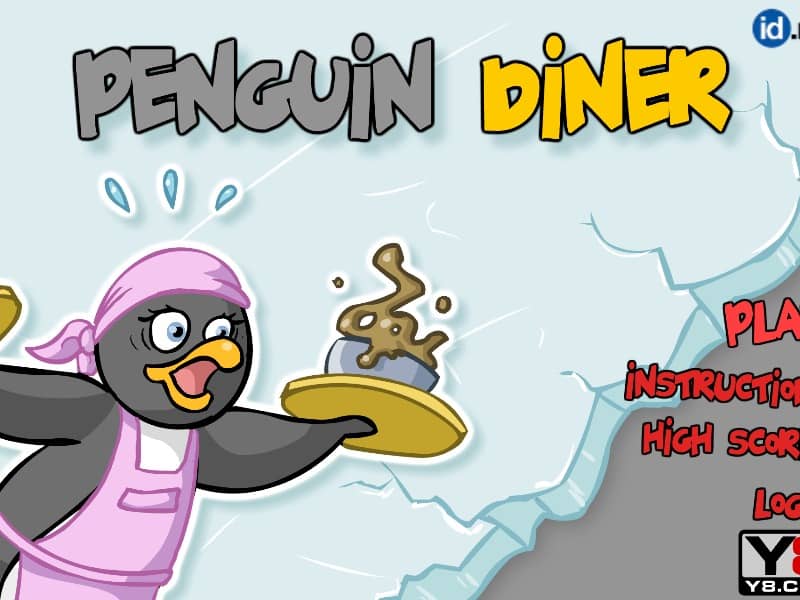
Penguin Diner

Overview

A classic Flash time-management game where you help Penny the Penguin run a busy diner, seat customers, take orders, and serve food to earn tips and upgrades.

Released in 2007 for FLASH and developed by 2DPLAY, Penguin Diner is built around its original console experience. It is part of the Simulation genres.

You can launch Penguin Diner directly in your browser without downloading a separate game client. Read the guide below before playing, then adjust the keyboard or controller settings for your device.

Playable in browserNo download requiredFLASH

Languages:English

Penguin Diner

A classic Flash time-management game where you help Penny the Penguin run a busy diner, seat customers, take orders, and serve food to earn tips and upgrades.

Play Now

Opens the game player in a new browser tab.

Plays
42
Views
178

How to Play

In Penguin Diner, your goal is to help Penny the Penguin earn enough tips to upgrade her restaurant and return home. The gameplay relies entirely on point-and-click mouse controls. When customers arrive at the entrance, click on them and then click on an empty table to seat them. Once they decide on their order, click on the table to take it, then click on the kitchen counter to retrieve the food when it is ready.

Deliver the food to the correct table promptly to keep customer satisfaction high. After they finish eating, click on the table to collect their payment and clear the dishes. As the days progress, manage the increasing flow of customers by prioritizing impatient guests and purchasing upgrades like faster skates, better chefs, or comfier seats to boost your tips.

Browser controls and troubleshooting

If the keyboard does not respond, click the game screen first and check the actual key mappings in the player controls. Arrow keys scrolling the page can mean the game does not have input focus.

On a phone, check whether the player provides touch buttons. Try landscape or fullscreen if the controls are too small. After connecting a gamepad, press a button with the game focused and check whether the player recognizes it.

For a black screen or a stalled load, wait briefly before using Reload player or Browse games in the embedded player or play page. Reloading restarts the player and may lose unsaved progress. If no save option is available, do not rely on refreshing to preserve progress.

Related Games

FAQ

Can I play Penguin Diner online?

Yes. You can play Penguin Diner directly in your browser. Open the game page and click play to start without setting up an emulator first.

Do I need to download anything to play Penguin Diner?

No. Penguin Diner is available as a no-download browser game, so you can start playing without installing extra software or downloading files.

What platform or genre is Penguin Diner?

Penguin Diner is a FLASH game in the Simulation category. You can use the platform, genre, and related games sections to find similar titles.

What devices can run Penguin Diner?

Penguin Diner usually works in modern browsers on desktop, tablet, and mobile devices. For the most stable gameplay experience, use Chrome or another mainstream browser.

Who developed Penguin Diner?

Penguin Diner is listed with developer information for 2DPLAY. You can also browse related games from the same developer or genre.